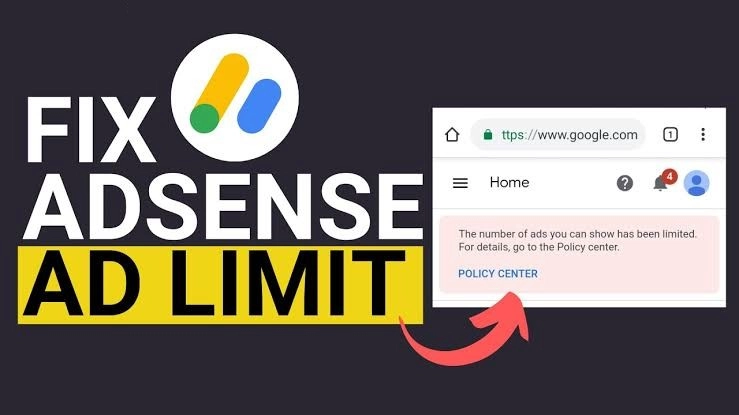
If you’ve received a warning from Google AdSense saying “Ad serving has been temporarily limited”, you’re not alone. Many publishers face this issue at some point.
This restriction usually stops ads from showing properly on your site. As a result, your earnings may drop significantly. The good news is that this problem can be resolved.
In this guide, you’ll learn what the AdSense ad limit means, why it happens, and how to fix it permanently.
Follow PenTalk News
Get breaking news, important updates and the latest stories directly on your phone.
What Is the AdSense Ad Limit?
The AdSense ad limit is a temporary restriction placed on your account. It reduces the number of ads shown on your website.
This happens when Google’s system detects unusual or low-quality traffic patterns. The goal is to protect advertisers and maintain a fair ecosystem.
Why Does Google Place an Ad Limit?
Google uses automated systems to monitor traffic quality. If something looks suspicious, restrictions are applied.
Common reasons include:
- High traffic from social media but low organic search traffic
- Sudden spikes in visitors
- Invalid or bot-generated traffic
- Excessive promotion using low-quality sources
- Click manipulation or accidental clicks
Usually, the limitation lasts between a few days and a few weeks. However, it can take longer if the issue persists.
How to Fix AdSense Ad Limit (Proven Methods)
There is no instant “switch” to remove the ad limit. You must improve your traffic quality and site behavior.
Below are effective steps you should follow.
Solution 1: Clean Up Your Traffic Sources
The first step is to remove anything that may look suspicious to Google.
What you should do:
- Remove all existing AdSense ad units from your site
- Delete or reduce promotional posts on social media
- Stop sharing your website links aggressively
- Avoid traffic from unknown or paid sources
- Pause backlink-building from low-quality sites
- Stop pushing traffic from platforms like YouTube temporarily
Why this works
When you reduce artificial traffic signals, Google can reassess your site naturally. This helps rebuild trust.
Solution 2: Focus on Organic Traffic
Organic traffic is the most important factor in resolving ad limits.
How to increase organic traffic:
- Publish high-quality, original content
- Target SEO-friendly keywords
- Improve internal linking
- Optimize your site speed
- Write consistently
Search engines trust organic visitors more than social traffic. Once your organic traffic grows, the ad limit is more likely to be lifted.
Solution 3: Disable Auto Ads Temporarily
Turning off Auto Ads can help reset your ad serving behavior.
Steps to disable Auto Ads:
- Log in to your AdSense account
- Click on Ads in the left menu
- Select your website
- Click the edit (pencil) icon
- Turn off Auto Ads
- Click Apply to site
After disabling Auto Ads, wait for about 5–7 days. In many cases, the limitation gets removed during this period.
Important Tip After Ad Limit Is Removed
Once your account returns to normal:
- Turn Auto Ads back ON
- Avoid placing too many manual ad units immediately
- Gradually reintroduce ads
- Monitor your traffic sources closely
Smart Ad Strategy
- If your traffic is mostly social → use Auto Ads only
- If your traffic is mostly organic → you can add manual ad units
This balance helps prevent future restrictions.
Solution 4: Stop Low-Quality SEO Practices
Some SEO tactics can harm your AdSense account.
Avoid:
- Spam backlinks
- Traffic exchange websites
- Automated SEO tools generating fake visits
Focus on long-term SEO strategies instead.
Solution 5: Use Ping Services for Faster Indexing
Ping services help notify search engines when you publish new content.
Benefits:
- Faster indexing
- More visibility in search engines
- Increased organic traffic
How to add ping services in WordPress
If you use WordPress:
- Go to your dashboard
- Click Settings → Writing
- Scroll to Update Services
- Paste your ping service URLs
- Click Save Changes
After setup, every new post gets automatically submitted to search engines.
How Long Does It Take to Remove Ad Limit?
There’s no fixed timeline. It depends on your site’s improvements.
- Minor issues → 5 to 10 days
- Moderate issues → 2 to 4 weeks
- Severe issues → longer
Consistency is key. If you follow the right steps, the limit will eventually be lifted.
Key Mistakes to Avoid
Many publishers make these errors:
- Trying to force traffic quickly
- Using clickbait or misleading content
- Re-adding ads too soon
- Ignoring Google policies
Avoid these mistakes to protect your account.
Final Thoughts
The AdSense ad limit is not a punishment. It’s a quality control measure.
If you focus on:
- Organic traffic
- High-quality content
- Clean promotion strategies
your account will recover.
Stay patient and avoid shortcuts. Long-term growth always wins.